The aim of Cadence seems simple: just connect the tiles, wake the cat and make music along the way. What seems like a straightforward game turns out to be a surprisingly complex system of route planning, timing and loops. What more could you want from a game?
Plan the route
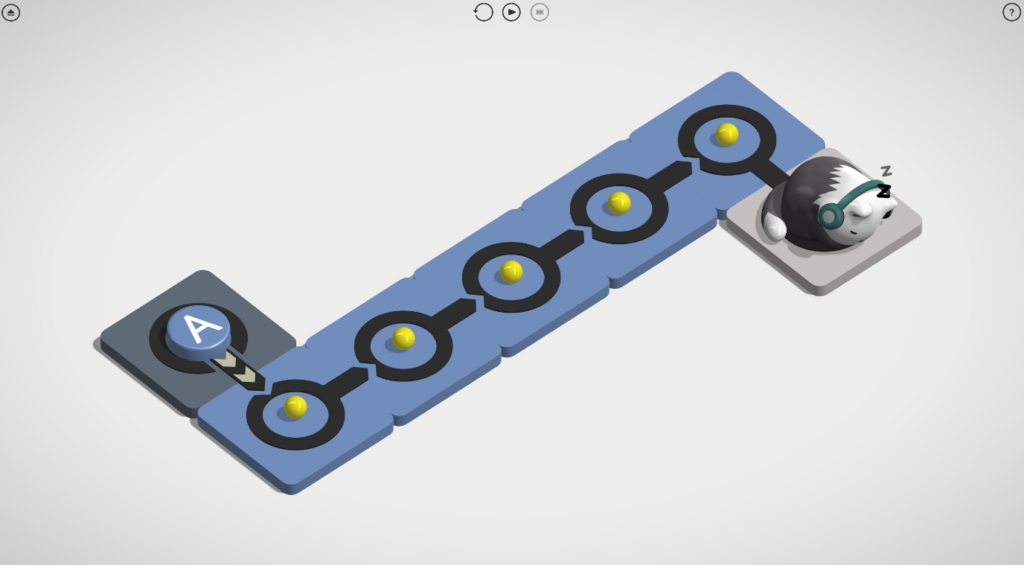
Developer and publisher ’Made With Monster Love’ is an indie designer making their debut with Cadence, and what an introduction. Cadence gameplay simply involves connecting tiles so the pulse advances along the path and reaches Ren, the cat, awakening him.
You choose the pulse’s direction by dragging your mouse between the tiles, creating arrows that indicate the pulse’s path. You can have multiple arrows coming from each tile, allowing the pulse to split and go along multiple paths simultaneously.
The first few levels are simple enough, but the real fun comes as the levels progress and get more complex. Cadence introduces new mechanics slowly, giving you time to understand how they work before combining them into more complex routes.
The Mechanics
There are five sets of levels: Beginnings, Decisions, Hardships, Paradoxes and Resolutions, with between nine and fourteen levels each. There are more complex levels in each set, but not all have to be completed to move on. This ensures that you do not become stuck and can continue playing Cadence if you find a level particularly hard.
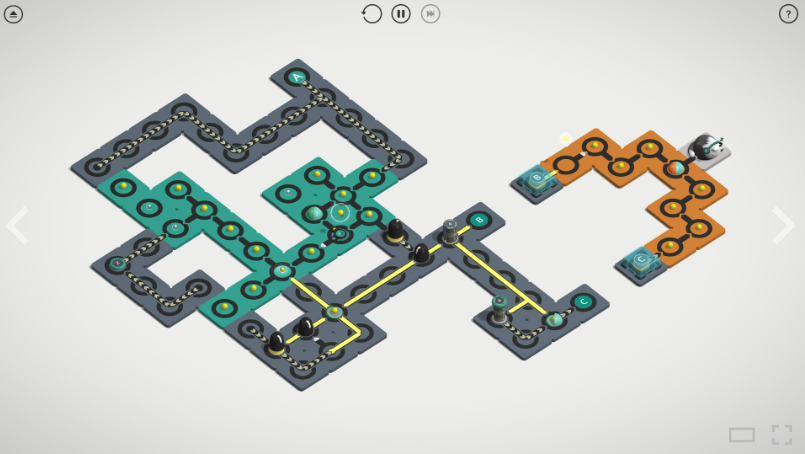
You start with the basic elements: Sync, Relay and Ren. Then, over multiple levels, we get introduced to Counter, Double, State, Instant, Timer, Single, Kill, Generator, Switch, Gate, Trigger, Dispatch, Reflector and Validator.
Each element has its own set of rules that combine to create complex routes. Harder levels rely on careful timing, order, and loops for activation. You very quickly learn that a straight line is rarely the answer. You need to time the pulses and loop them to send the pulse through each element. This includes the pulse hitting the correct number of times, either simultaneously or separately.
The Elements
- Sync, Validator, and kill tiles each start or stop the pulse when activated. Sync tiles are the lettered button tiles that start or stop the pulse. Validator tiles stop the pulse and blow up if a Sync tile activates with an ID different from the one listed on it. Once activated, kill tiles will blow up and stop the pulse in its tracks, ending the attempt.
- Relay tiles are the yellow ball tiles that relay your pulse along the route you create. Whereas the State tiles are the clear balls that require two pulses, one after the other, to activate, as they store the first pulse and release on the second pulse.
- Counter and Double tiles activate once the desired number of pulses hit it. With Counter tiles, this is indicated by the number of lines at the top, and Double tiles require two pulses to hit simultaneously.
Instant tiles are the arrow tracks that instantly transfer the pulse across the board. - Timer tiles delay the action by the number of beats indicated on the top. Whereas Gate tiles are similar but close for the mentioned number of beats.
- Single tiles only activate when one pulse arrives. Whereas Generator tiles activate on every beat unless a pulse arrives.
- Switch tiles active in numerical order, with a different path attached to it with each pulse.
- Trigger tiles are linked to the Dispatch tiles and activate when they receive the letter ID associated with them from the Dispatch tile.
- Reflector tiles activate inputs.
Appearance
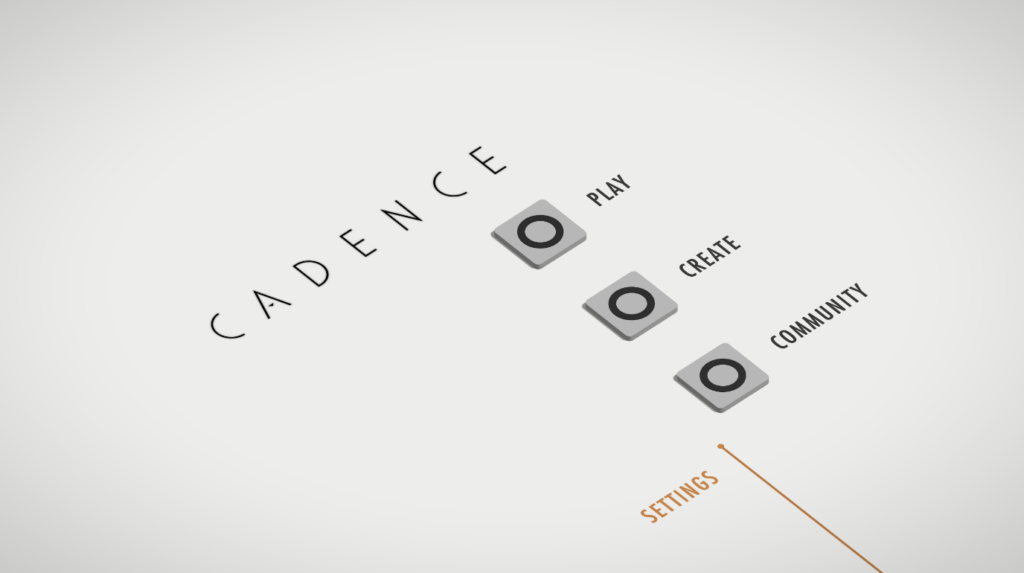
Cadence has a clean, tidy graphical setup, with the main start page easy to read and clutter-free. Though the tiles have different colours throughout the game, they are for aesthetic purposes only and should not affect people who are colourblind.
The settings are basic with a choice of UI scale for up to 3x the size, which might be handy for those who have some minor visual problems. The audio offers two options to control music and SFX separately, letting you set the levels for the background music and the tones played by the tiles. There are multiple language choices, which could be useful for understanding the elements, as each one has an explanation under the question mark on each page level.
Community
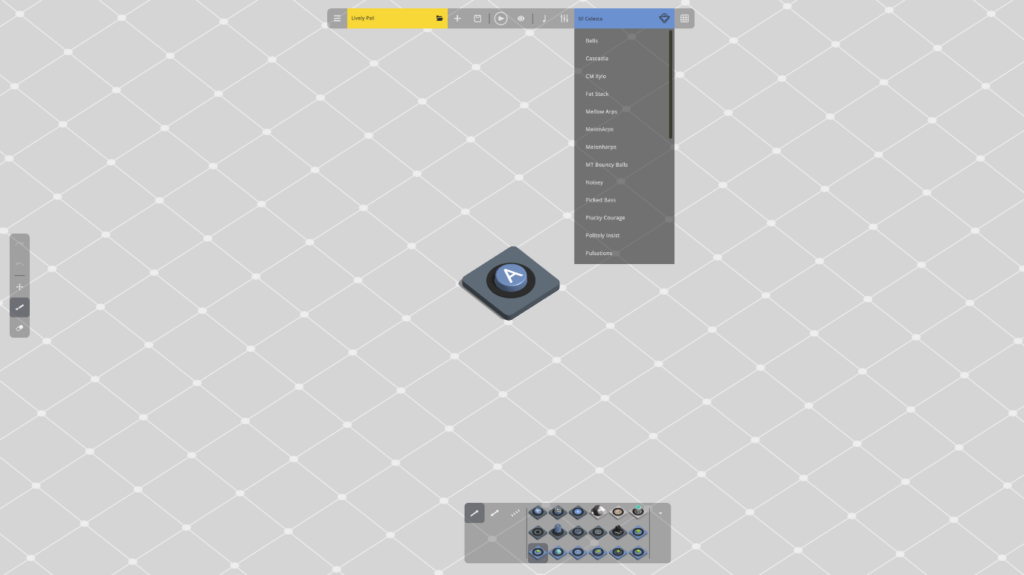
Though there is no multiplayer in this game, two aspects add a community element. You can design your own levels in the create section and play other people’s designed levels in the community tab.
Though I have not yet designed my own levels, I had a quick play, and it seems to be a very easy system to use for planning your tiles, with a simple erase tool if you change your mind on a tile placement. There is also a section to plan the music and tones of the tiles, which includes a mix of sound pre-sets and a tone editor to really customise the music side of your levels. You can then share your levels with the community once you are happy with your designs.
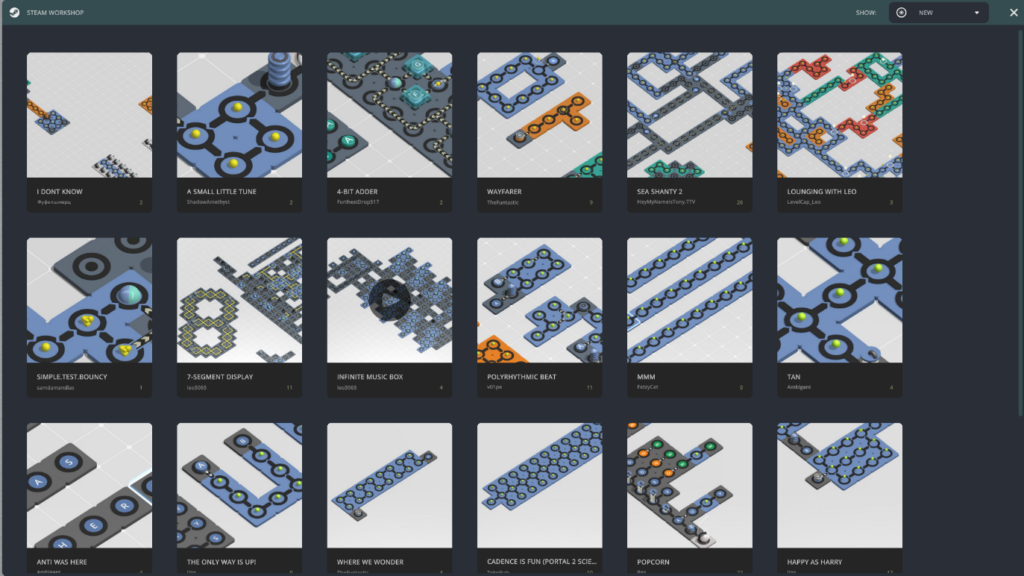
Since Cadence is new, there aren’t many community levels yet, but I am looking forward to checking them out and watching this section grow as more people play and learn to design their own levels.
Conclusion
Cadence has a lot of potential to grow in popularity among puzzle game lovers if they continue to add more levels and the community section continues to grow. I, for one, am looking forward to what the future holds for this game.
Cadence does have some minor flaws; the main one is that the music is very loud at the start, so much so that in my first gameplay video, I had to turn it down so I could be heard over it. They also seem to have missed off the quit game menu on the main start-up page, and I have had to go into the create section and use the menu there to close the game down or use my stop button on Steam itself.
If you are interested in checking out the game yourself, here is the Steam link .

Platforms: PC
Publisher: Made With Monster Love
Developer: Made With Monster Love
Played On: Steam
Code Provided By: Keymailer
This is my first look video for actual gameplay. Cadence first look video
About the Author