It’s time to take a look at some ways to customise your Streamer.bot chat commands to include user information and custom links.
If you’re new to Streamer.bot, you might want to check out our previous tutorial on basic commands before starting this one.
Step 1 – Create Your Command and Trigger
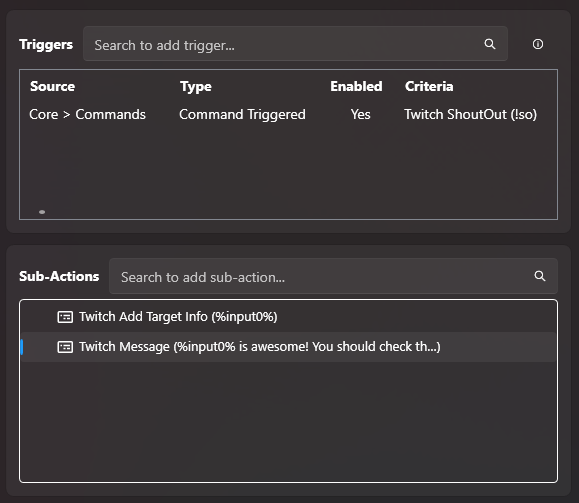
Create your command action and trigger how you want to use it. Generally Twitch streamers generally use “!so” followed by the users name to initiate the command.
We went over this step in more detail in a previous tutorial if you would like more information.
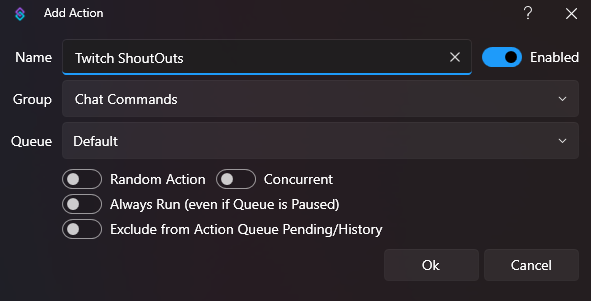
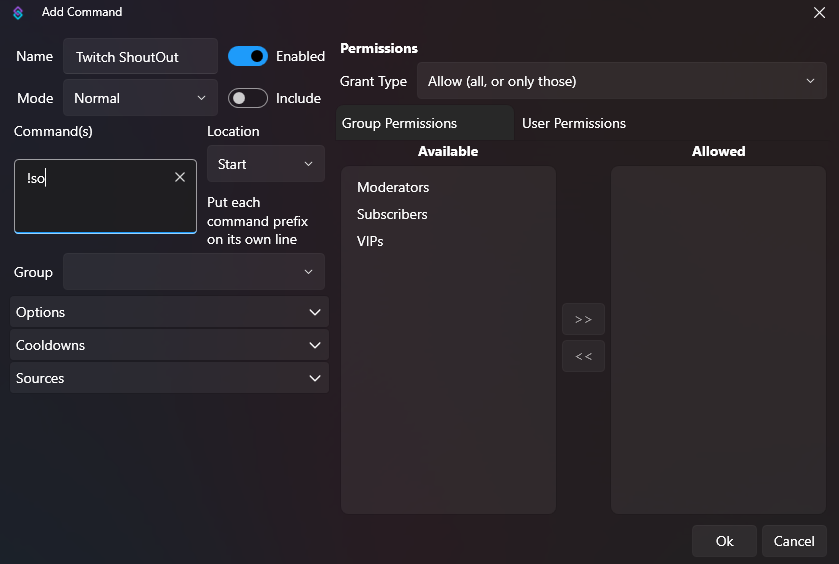
Step 2 – Create Your Sub-Actions
For a shoutout command, we need to set up two actions. One to get information from Twitch chat using the “Get User Info For Target“, and one to send the message.
Get User Information
For this command we want to shoutout the person tagged in chat. So the information Streamer.bot is looking for is an “Input“.
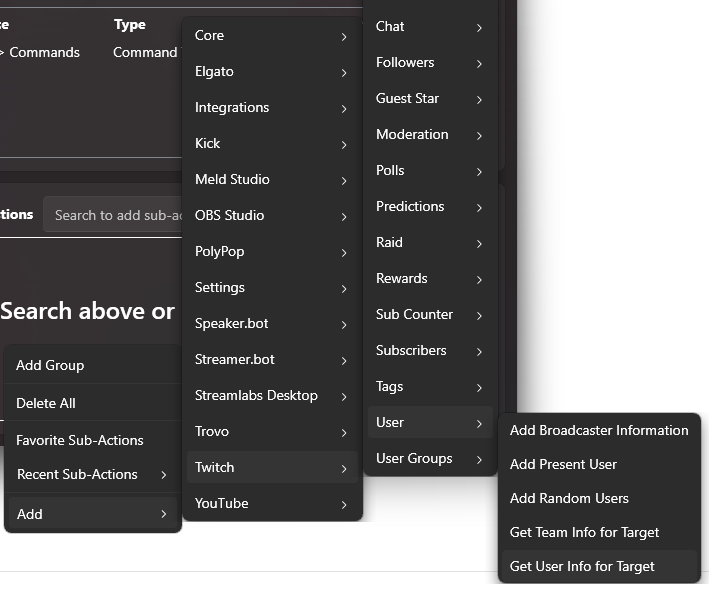
Right-click in the sub-action dock or search in the bar, and navigate your way to “Get Info for Target“.
Add > Twitch > User > Get Info For Target
There are several variables you can take from chat using this sub-action, but the one we want today is the user in chat. The code for this is %input0%.
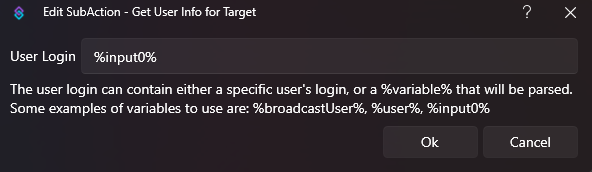
Add Input To Chat Message
Now we have the input information, we can add it to a chat command using the code %input0%.
If you want to add in a link to someone’s stream you can do so by placing your input at the end of the weblink.
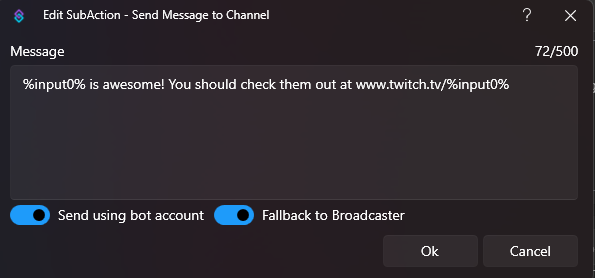
You should now have something that looks like this:

You can also use this method to add in stream information with other variables such as %inputGame%.
More Streamer.bot Tutorials
You can check out more of our tutorials here:
Want More Tutorials?
Looking to level up your content creation more? Check out our other tutorials now.
About the Author