

The Discord Reactive App by Fugi.Tech is one of our most popular tutorials. But did you know that you can use Reactive Fugi.Tech to create more advanced animations for your avatars? Or use the premium API features to interact with your livestream chat?
Animate Your Avatar With Gifs

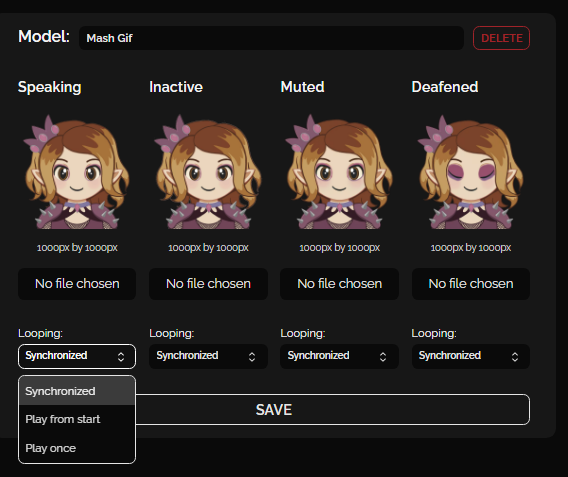
In our previous tutorial, we introduced you to Reactive Fugi.Tech and how to use it to create talking avatars for your livestreams. Although, we only talked about using static images to create your avatar, you can also use GIFs to create a talking animation effect. Simply replace your image uploads with a GIF and your animated avatar will be good to go.
Here you can also set if you want your GIF to synchronise to your mic, play from the start or play once. These come in useful when using the Reactive API to change avatars automatically using different streaming tools.

As you can see from the above image, your animations don’t need to be overly complex to create the desired effect. Here, using Adobe ImageReady CS2, I was able to create a short animation cycle to give the impression of talking and blinking. However, you can use Procreate, Krita or ClipStudioPaint to animated Gifs as well.
Fugi.Tech Premium
Although it is not required to do basic animations, there is a premium option for Reactive Fugi.Tech, which we’re going to take a quick look at today. The $4.20 meme number cost is pretty minimal, however users will find their use varies depending on how often they stream and how many assets they have acquired.
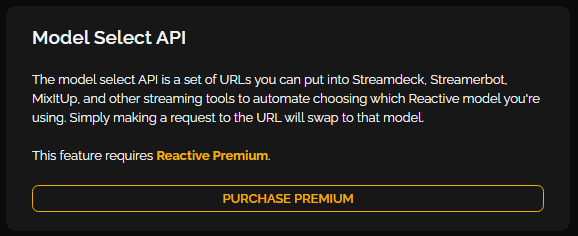
While most of the premium features unlock additional save slots and bigger upload sizes, the feature we’re most interested in today is the “model quick-swap API“.

Model Select API
Automated model switching is a fun way to make your avatars more interactive. Setting different models to represent changes in emotion or react to things on stream gives the illusion of your avatars being more complex and closer to Live2D models without the hardware requirements.
Want More Tutorials?
Looking to level up your streams more? Check out our other tutorials now.
About the Author







This is such a great tool, and an awesome tutorial on how to leverage it further.
Before I started vtubing properly fugi.tech came in absolutely clutch to have some representation on stream of my yapping